On This Page
Recognized Click to Pay Customer
Click to Pay
CustomerThis section provides an overview of the
Click to Pay Drop-In UI
recognized
experience. This interaction occurs when a customer’s device is recognized by the
Click to Pay Drop-In UI
.A customer's device is recognized under these conditions:
- When the customer has usedClick to Payon their device through anyClick to Paychannel.
- If the customer chose to have their device remembered during a previous transaction or when they enter their one-time password (OTP).
The cardholder is presented with their stored 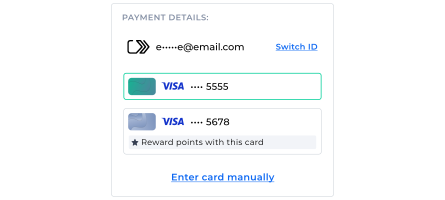
Click to Pay
cards
in the UI when they are on a recognized device: Figure:
Recognized
Click to Pay
Customer UI