On This Page
Transaction Search
You can use the Transactions page in the
Business Center
to search for
transactions processed by your account or the account of one or more of your
merchants in your portfolio. The Transactions page displays details for each
transaction matching your search criteria. Use the search toolbar to limit the
results and apply filters to refine which transactions are returned. Your search can
include up to 13 months of transactions.Follow these steps to search your transactions:
- In the left navigation panel, choose theTransaction Management > Transactions.
- In the search toolbar, click theDate Rangefilter and choose an option.
- ClickAdd filter. ANew Filterdrop-down menu appears.
- Click the down arrow to view a list of filter options. Browse the list or start typingapplicationin the filter field.
- ClickApplicationto create an Application filter.
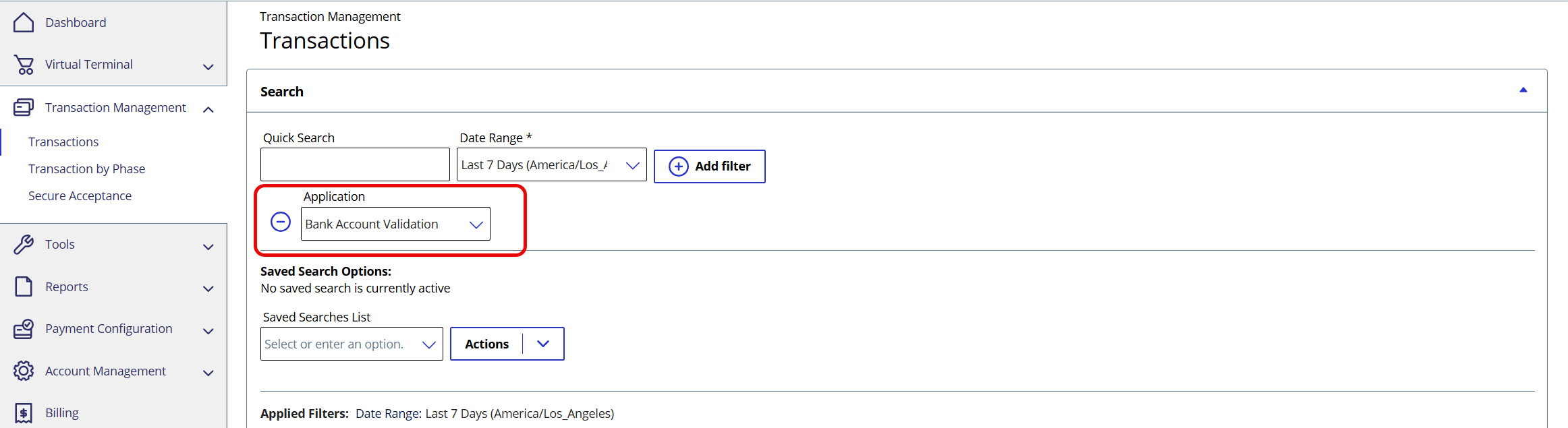
- In theApplicationfilter field, start typingbankand clickBank Account Validationwhen it appears. (You can save this filter for future searches by clicking the arrow in theActionsfield and choosingSave New.)
- ClickSearch. The result of the search appears in the Search Results section.
Figure:
Bank Account Validation filter