On This Page
Introduction to the PAX IM30 Terminal
The PAX IM30 is an unattended Android SmartPOS (point-of-sale) payment terminal. The
device is designed for self-service environments such as kiosks, vending machines,
parking facilities, and electric vehicle charging stations.
These are the features of the terminal:
- Device can be used with the and the .
- Internet connectivity options are Ethernet, a Wi-Fi network, or a mobile network with a SIM card.
- Supported payment methods are contactless, chip with PIN, and magnetic stripe.
- Does not include an integrated printer.
Figure:
PAX IM30 Product Photo
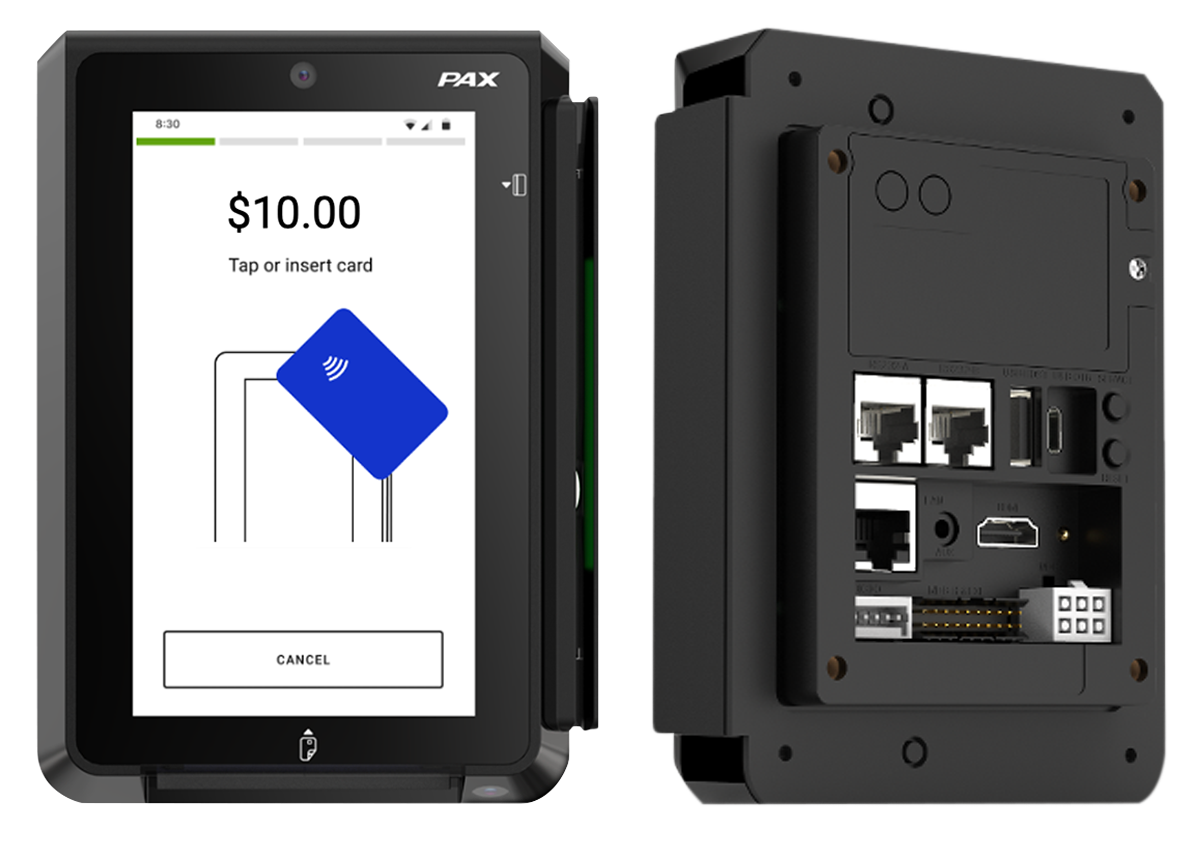
Figure:
PAX IM30 Product Specifications

Supported Payment Card Types on the PAX Terminal
The PAX terminal supports these payment card types:
- American Express
- Diners/Discover
- Mastercard
- JCB
- UPI
- Visa
Supported Payment Card Entry Modes on the PAX Terminal
The PAX terminal supports these payment card entry modes:
- EMV contact
- Holding the card with the chip facing up, the customer inserts (dips) the card into the card slot.
- EMV contactless
- The sensor area is located at the top of the terminal and is indicated by the Tap (contactless) icon printed on the device. The customer holds and places the card near the sensor area on the payment terminal.
- Magnetic stripe
- The device supports bi-directional (left-to-right or right-to-left) swiping of the magnetic stripe on the back of the card. Holding the card with the magnetic stripe facing down, the customer inserts the card into the magnetic card reader slot and swipes the card through the slot at a steady speed.
Supported Payment Card Types and Entry Modes on the PAX Terminal
The PAX terminal supports these payment card types:
- American Express
- Diners/Discover
- Mastercard
- JCB
- UPI
- Visa
The PAX terminal supports these payment card entry modes:
- Chip contact
- Holding the card with the EMV chip facing up, the customer inserts, or dips, the card into the card slot.
- Chip contactless
- The sensor area is located at the top of the terminal and is indicated by the Tap, or contactless, icon printed on the device. The customer holds the card with the EMV chip near the sensor area on the payment terminal.
- Magnetic stripe
- The device supports bi-directional, left-to-right or right-to-left, swiping of the magnetic stripe on the back of the card. Holding the card with the magnetic stripe facing down, the customer inserts the card into the magnetic card reader slot and swipes the card through the slot at a steady speed.