On This Page
Configuring Business Center Role Permissions
Business Center
Role PermissionsThe upgraded Recurring Billing service requires you to configure Business Center role
permissions to control access to Recurring Billing and subscription features.
- Follow these steps to configure role permissions:
- In theBusiness Centerleft navigation panel, click theAccount Managementicon andRoles.
- Expand theToken Management Permissionslist.
ADDITIONAL INFORMATION
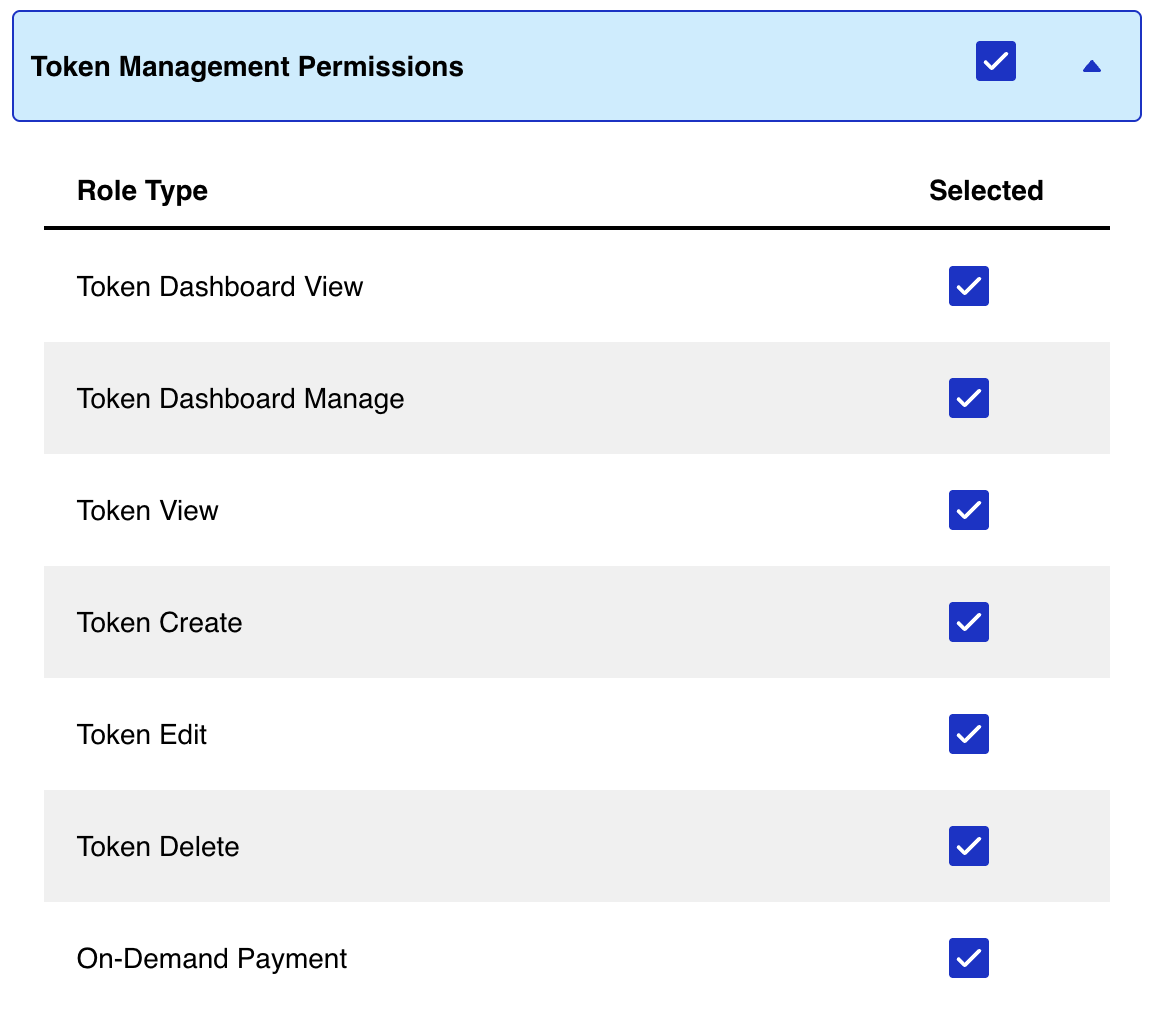
- Choose the name of each role that you want to add.
- Expand theSubscriptions and Recurring Billing Permissionslist.
ADDITIONAL INFORMATION
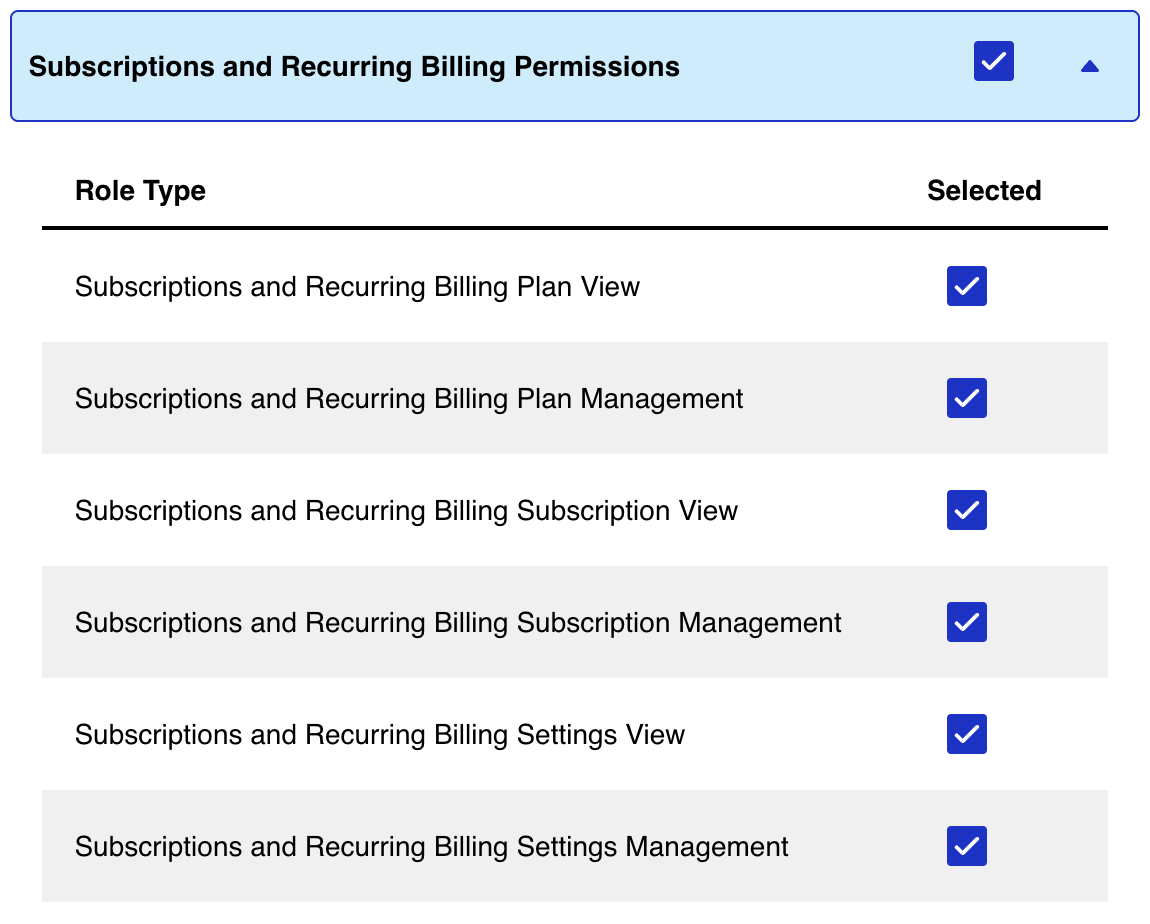
- Choose the name of each role that you want to add.
- ClickSave.