Configuring an Ethernet Dynamic IP Connection on the PAX Terminal
Use the information in this section to configure an Ethernet Dynamic Host Configuration
Protocol (DHCP) IP connection on the PAX A35 terminal. This connection is also called a
dynamic IP connection
. When this type of connection is enabled, your payment
terminal is automatically assigned an IP address by your network service provider each
time it connects to the internet.
Enable an Ethernet Dynamic IP Connection on the PAX Terminal
To enable an Ethernet IP connection, use an Ethernet cable to connect your PAX A35
terminal to your point-of-sale (POS) system. For more information, see Connect the Ethernet Cable to the PAX Terminal.
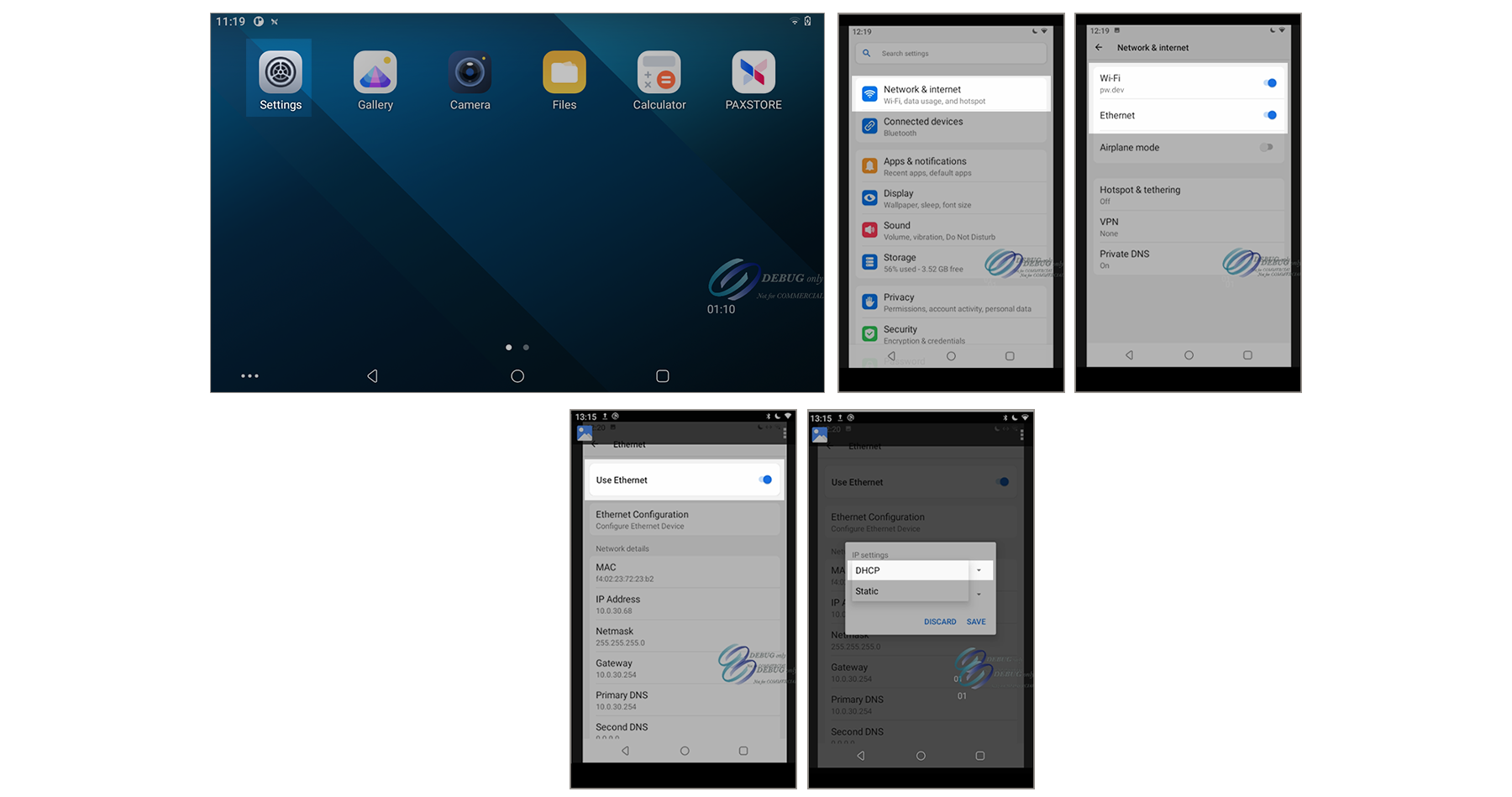
Figure:
Settings Menu Screens Used to Enable an Ethernet Dynamic IP Connection on PAX
Terminal
Follow these steps to enable the Ethernet Dynamic IP connection on the PAX
terminal.