On This Page
Guest Customer
This section provides an overview of the
Click to Pay Drop-In UI
guest
experience. This interaction occurs when the customer has not previously created a
Click to Pay
account, or their issuer has not provisioned their
card into Click to Pay
.In the guest experience,
Click to Pay Drop-In UI
captures the PAN details and the
cardholder chooses to create a Click to Pay
account or to check out
as a guest. In both cases, the payment credentials are available for processing
transactions using your payment gateway.The cardholder can make a one-time payment or complete the payment and choose to create a
Click to Pay
account for future use using their chosen email
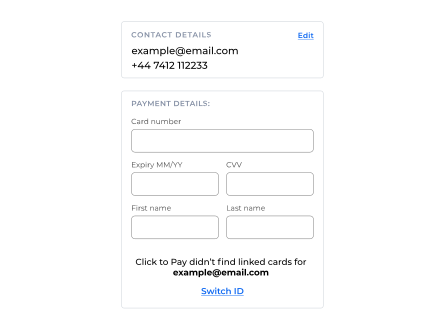
address and phone number combination. A user can select Switch ID
or Edit
within the contact details tab in order to look up new
payment details: Figure:
Guest UI