On This Page
Obtain the Merchant Client ID for the Paze Service
- Follow these steps to obtain the merchant's client ID for the Paze service:
- In the left navigation panel, click the Payment Configuration icon.
- ClickDigital Payment Solutions. The Digital Payment Solutions page appears.
- ClickConfigurenext to the product name Paze. The Paze Configuration page appears.
ADDITIONAL INFORMATION

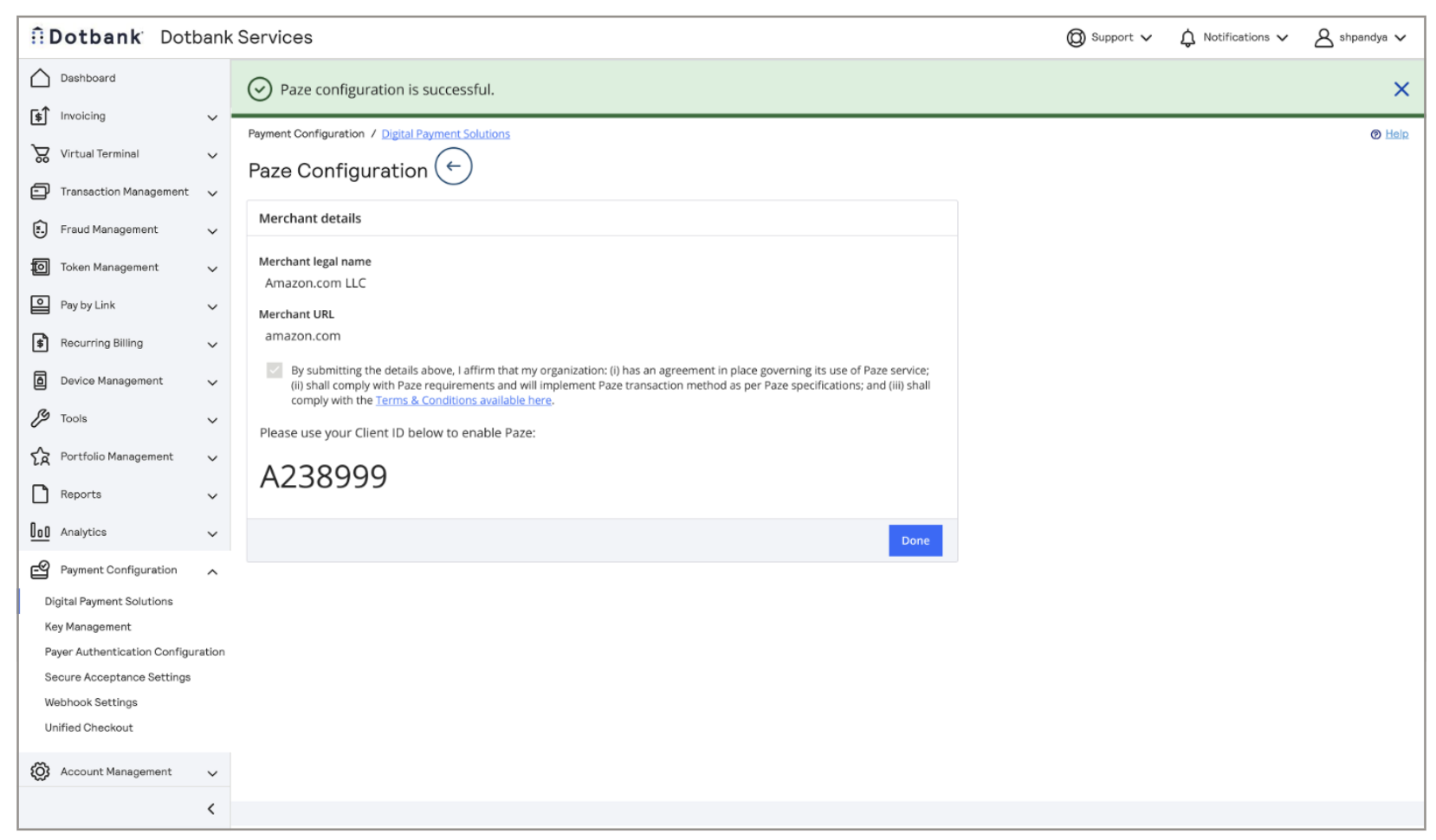
- Enter the merchant's legal name and the merchant URL.
- Select the checkbox to indicate that the organization's agreements with these terms: (i) the organization has an agreement in place governing its use of the Paze service; (ii) the organization will comply with Paze requirements and will implement the Paze transaction method as per Paze specifications; and (iii) the organization will comply with the Terms and Conditions that are linked in the Paze Configuration page.
- ClickSave. The merchant's client ID appears on the page. The client ID can be used to enable Paze.
ADDITIONAL INFORMATION